
AI that sifts, interviews and presents candidates. People who decide.
You set the criteria. SmartRecruits sifts the CVs, joins Microsoft Teams to run a consistent interview with every shortlisted candidate, and presents each one with evidence and behaviour insights. Your team makes every decision.
Set the criteria
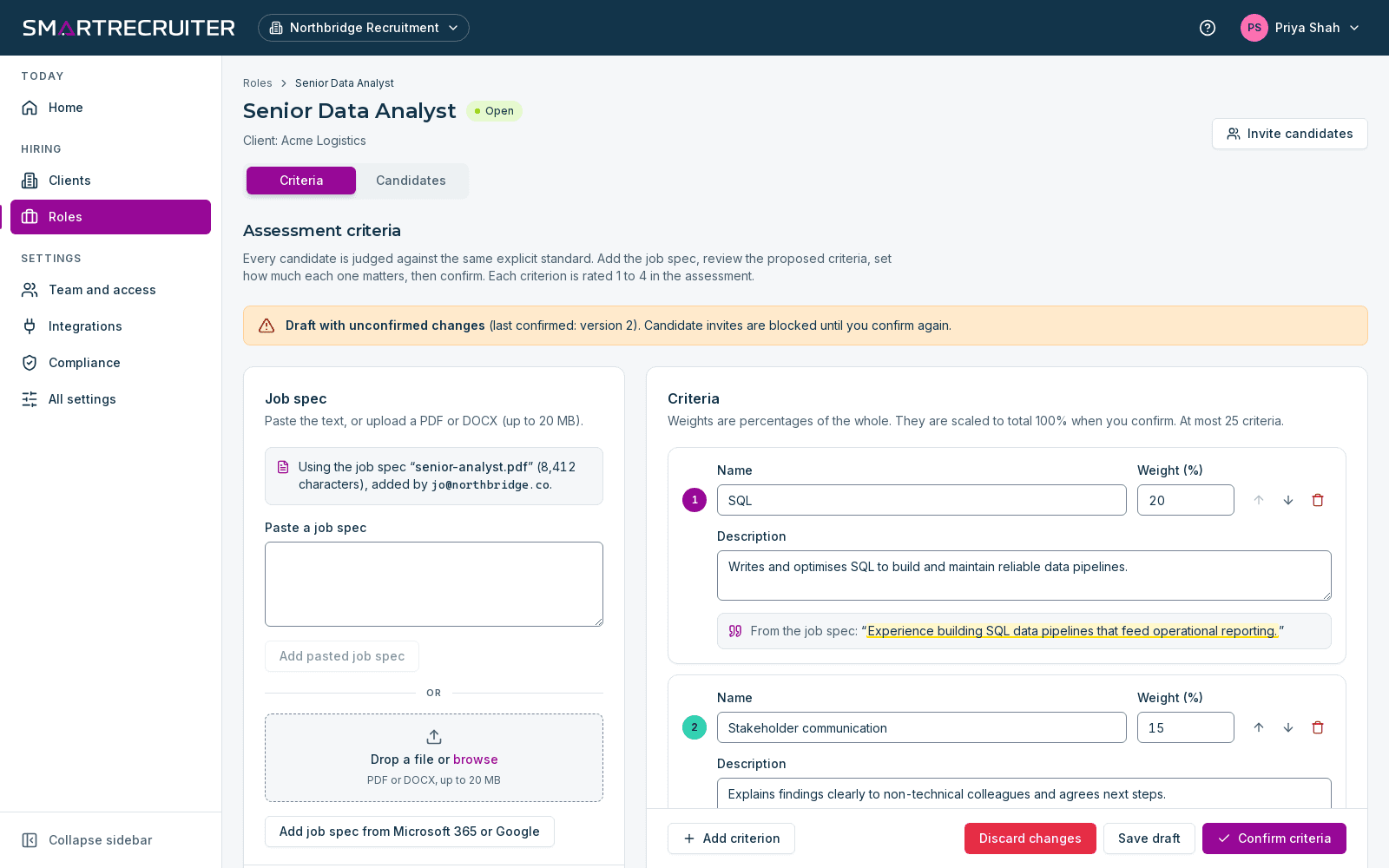
Upload a job specification and SmartRecruits drafts the criteria the role needs, each with a suggested weight, plus the behaviour profile you are looking for. You edit and confirm them before anything is assessed.
- Criteria drafted from the job spec, edited by you
- A target behaviour profile for the role
- Criteria that refer to protected characteristics are flagged
Sift every CV
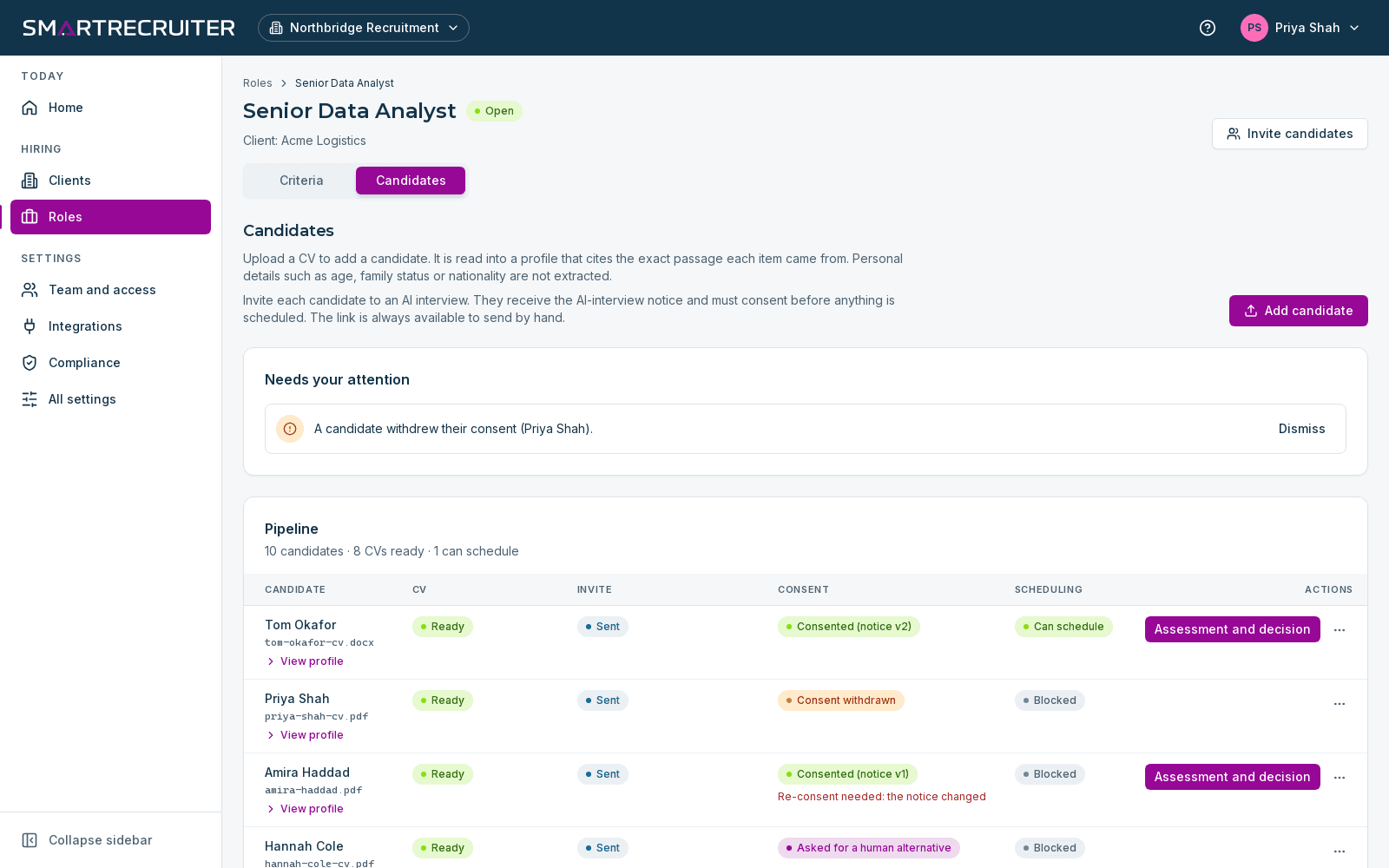
Add CVs directly or bring in candidates from your agency database. SmartRecruits sifts every application against the same confirmed criteria and presents the strongest matches, with the CV evidence behind each one.
- Every application assessed against the same criteria
- Agency CVs ingested for enhanced screening
- Shortlisted candidates invited with a secure link and consent notice
AI interview on Teams
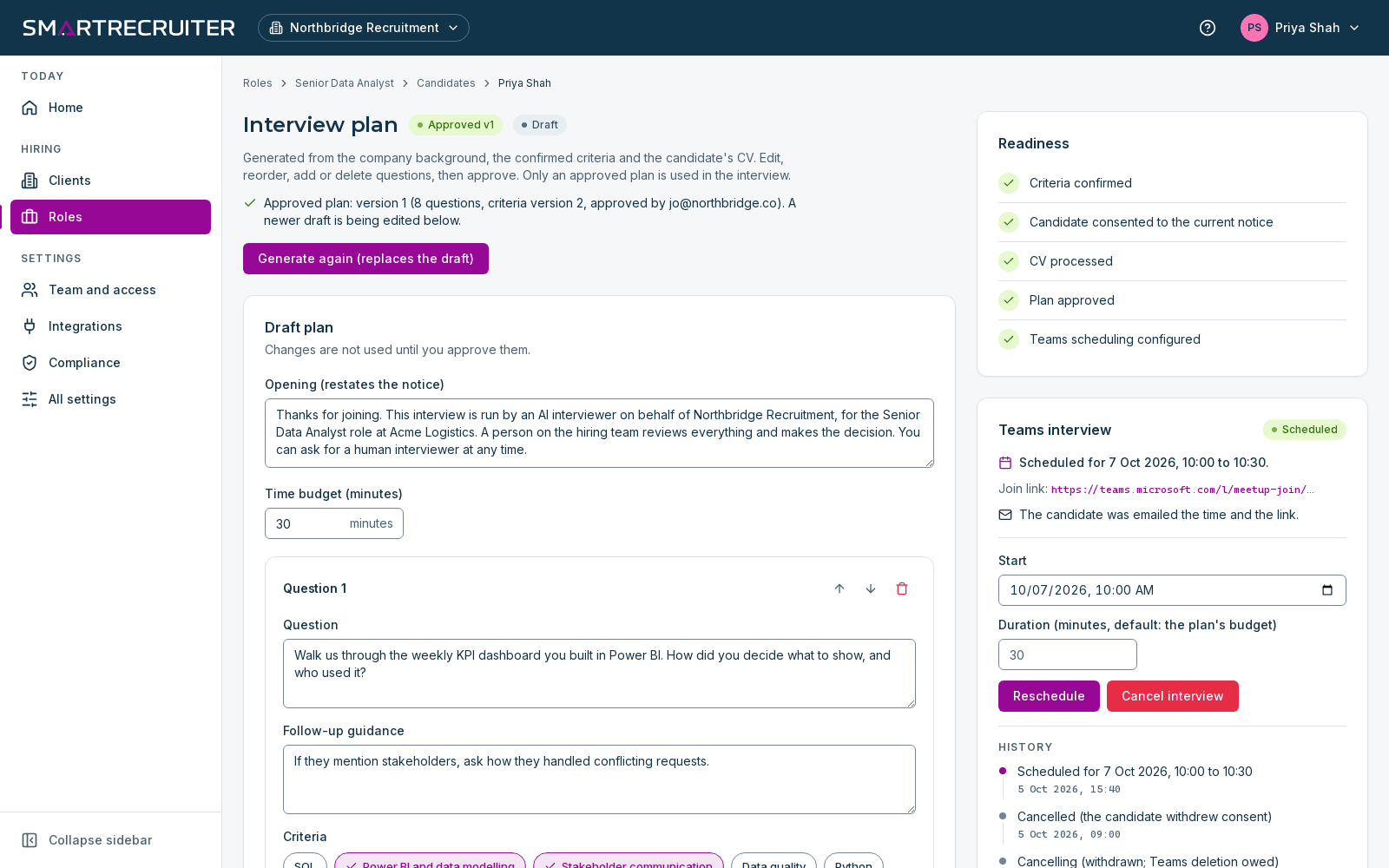
SmartRecruits joins a Microsoft Teams meeting and conducts the interview itself, following the plan you approved. Every candidate for the role gets the same structured questions, in a fair, transparent and unbiased process that stays consistent every time.
- Interview plans you review and approve
- The same structure for every candidate
- Recording and transcript saved for your team
Review evidence and insights
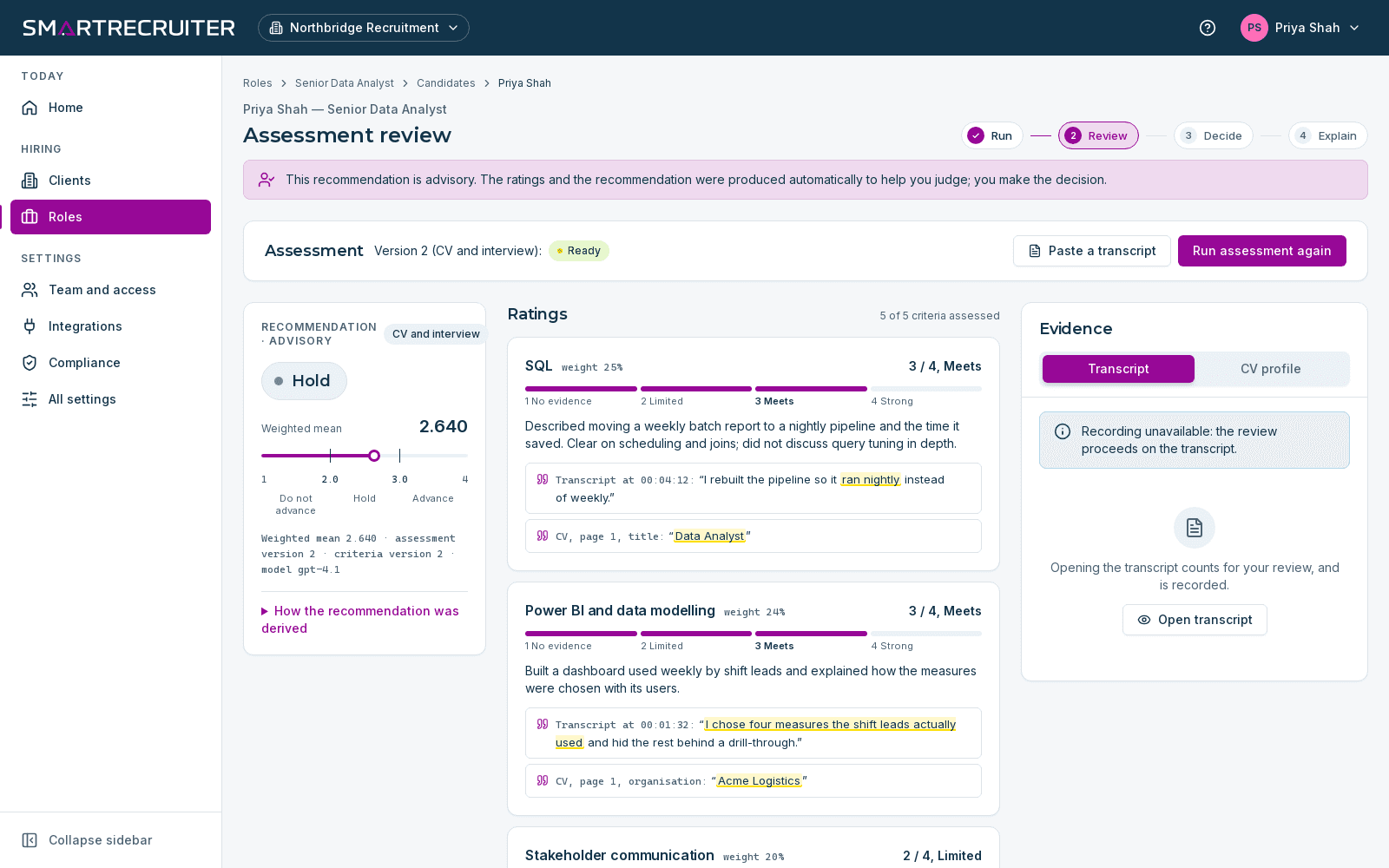
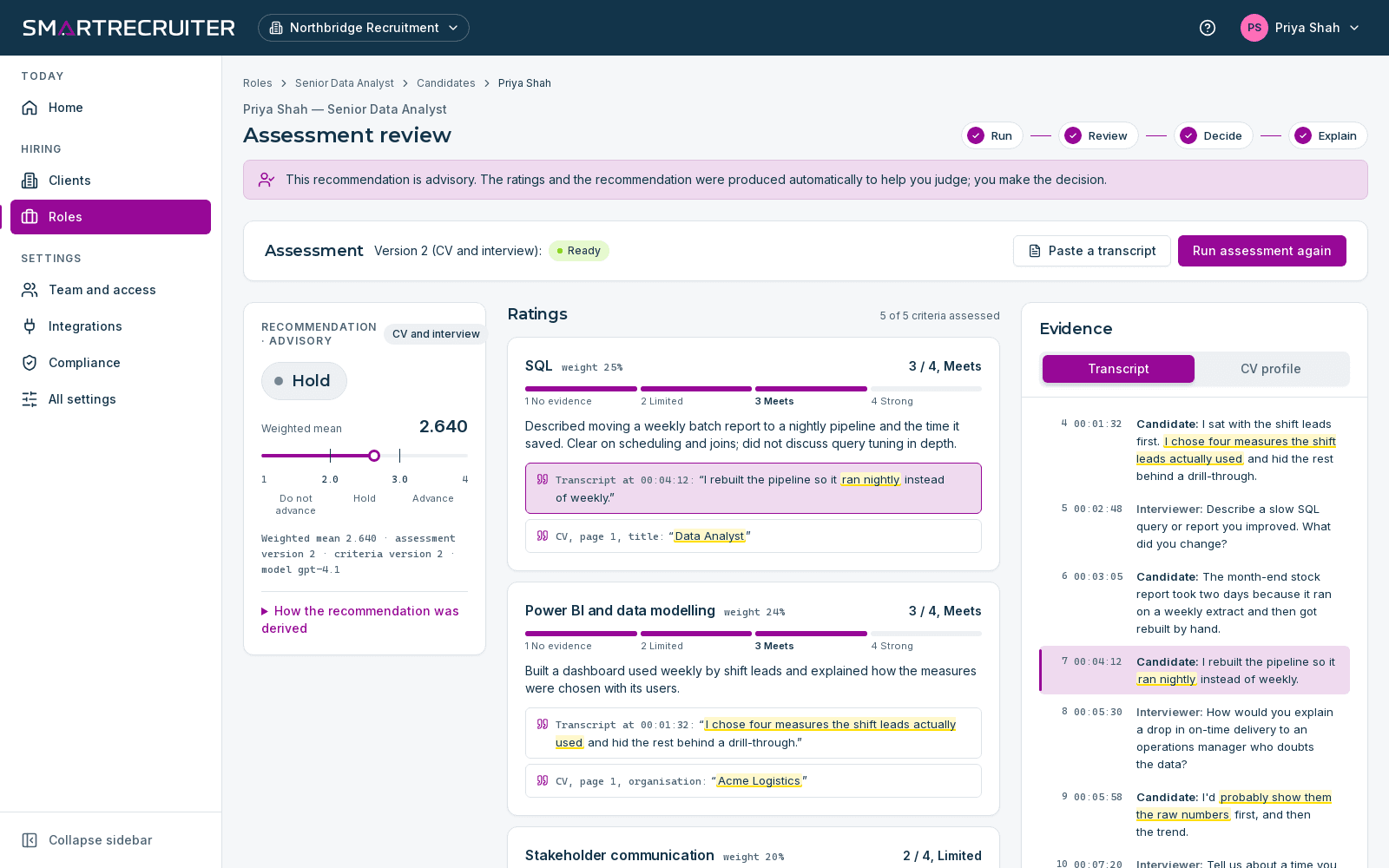
Each criterion is rated from 1 to 4, and every rating cites a CV passage or a transcript timestamp. A red, yellow, green and blue behaviour profile shows how the candidate compares with the profile the role needs.
- Quoted evidence with timestamps
- Behaviour profile compared with the role target
- Advance, Hold or Do not advance, always labelled advisory
Record the decision
A named person on your team makes the decision and records it with a reason. SmartRecruits presents candidates to support that decision. It never makes one on its own.
- Decision and reason recorded against a named person
- Written explanation for the candidate on request
- Every action written to the audit log
Insight that builds with every candidate
See the evidence behind every recommendation
We'll walk you through a role, an interview and the recorded decision.